VNHa Long Bay, VietnamVND ₫
Home, and already settled up.
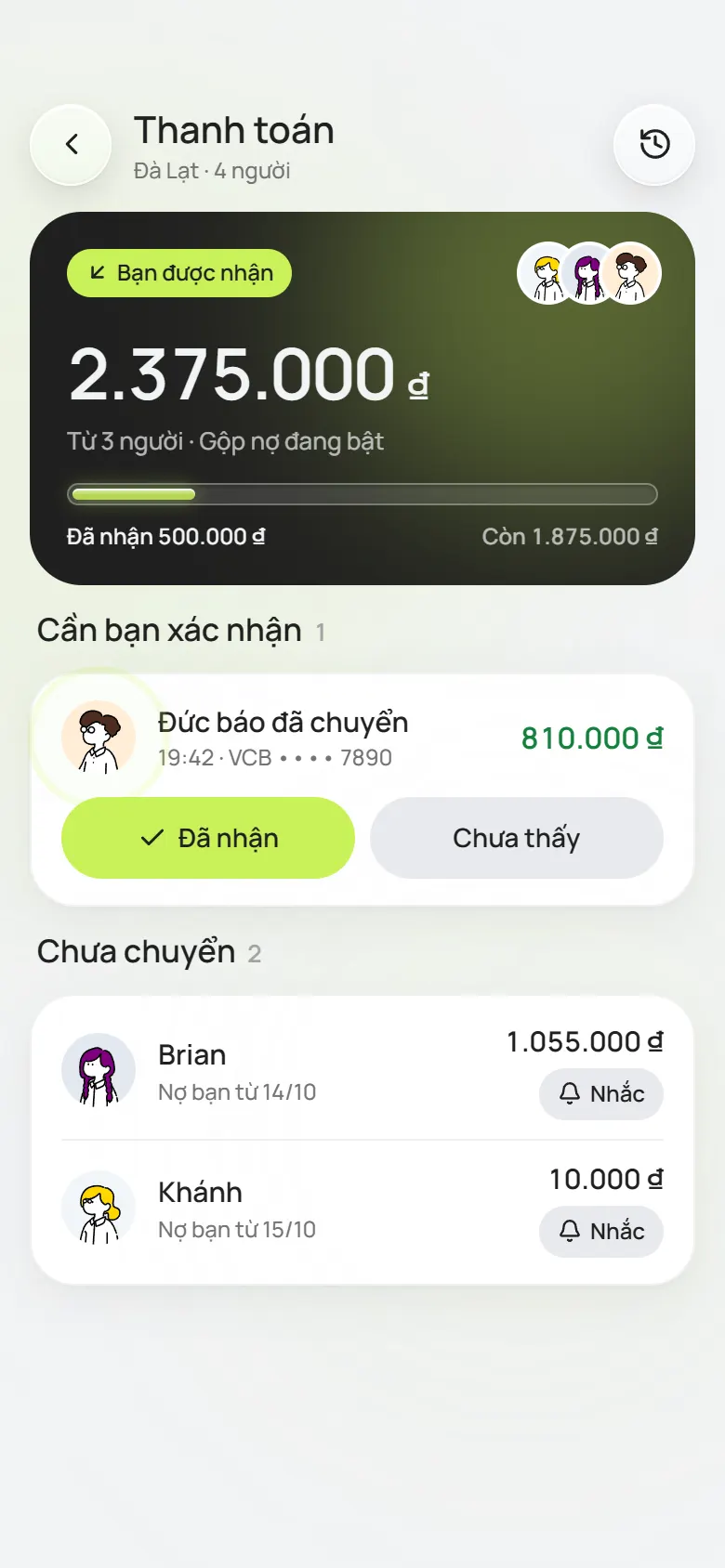
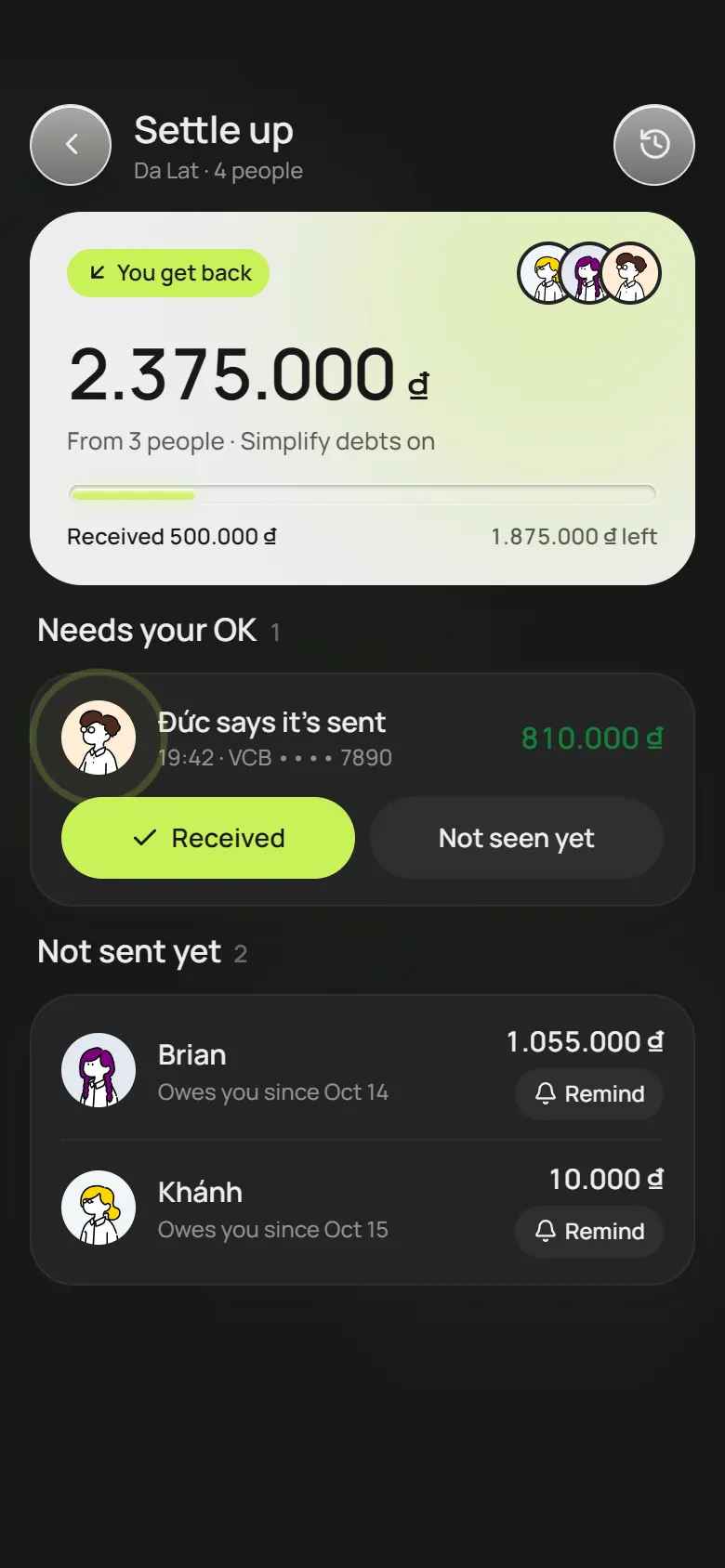
By the end of the trip the app has worked out who pays whom. Open the VietQR code and scan it with your banking app; the amount and note are there, so no missing zero.
Group travel expenses & trip planner
Every group has that one person adding up receipts at midnight. PineCoco notes who paid for what as it happens, works out who sends money to whom, and keeps the whole group's plan too.
Works in 8 languages
Everyone sets the app to their own language: Vietnamese, English, Chinese, Korean, Japanese, Russian, Indonesian or Hindi. There is still only one plan and one ledger.
VNHa Long Bay, VietnamVND ₫
By the end of the trip the app has worked out who pays whom. Open the VietQR code and scan it with your banking app; the amount and note are there, so no missing zero.
A trip with PineCoco
Every trip has these four chores. We just made them less of a pain.
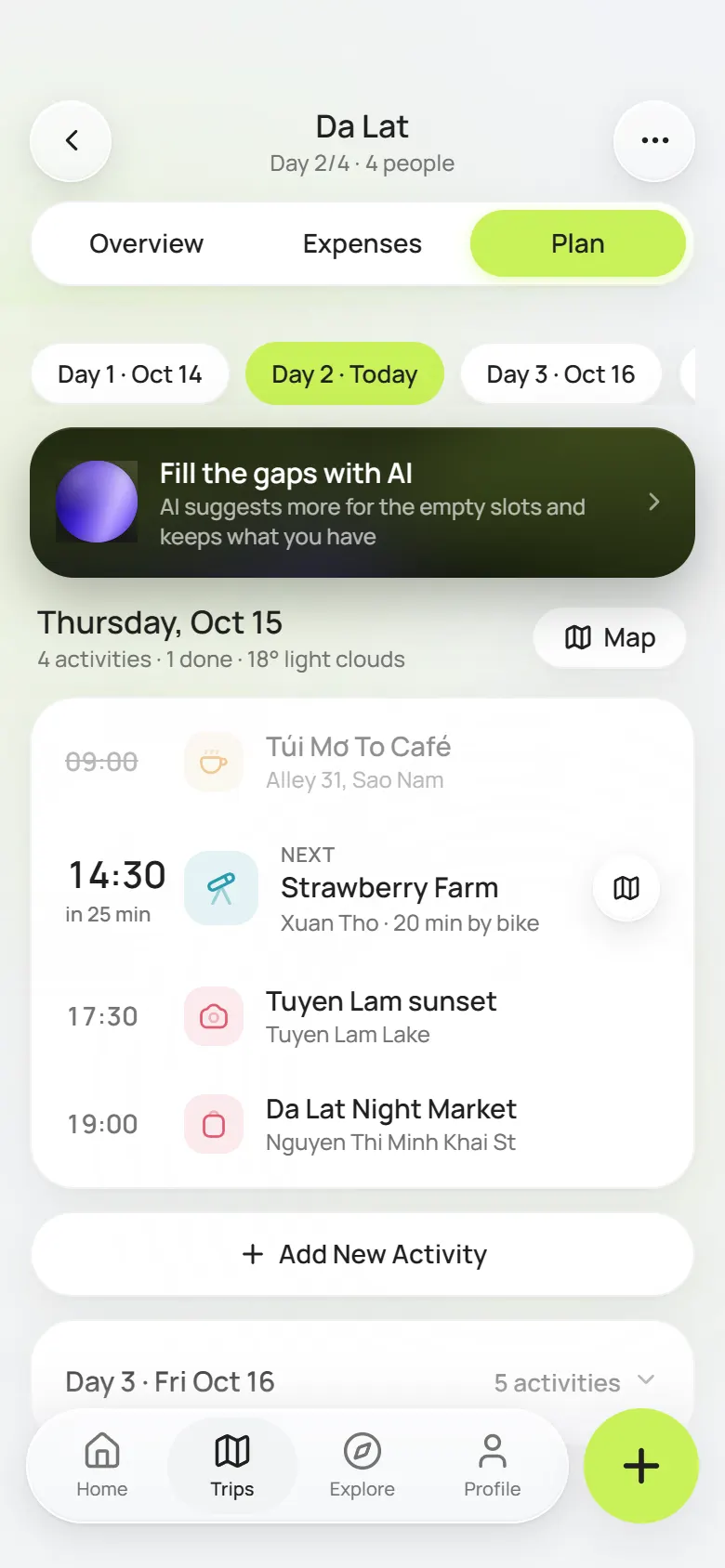
Where to in the morning, what time the van comes, where dinner is. Whoever thinks of something adds it, everyone sees it, and nobody has to scroll back through the group chat.
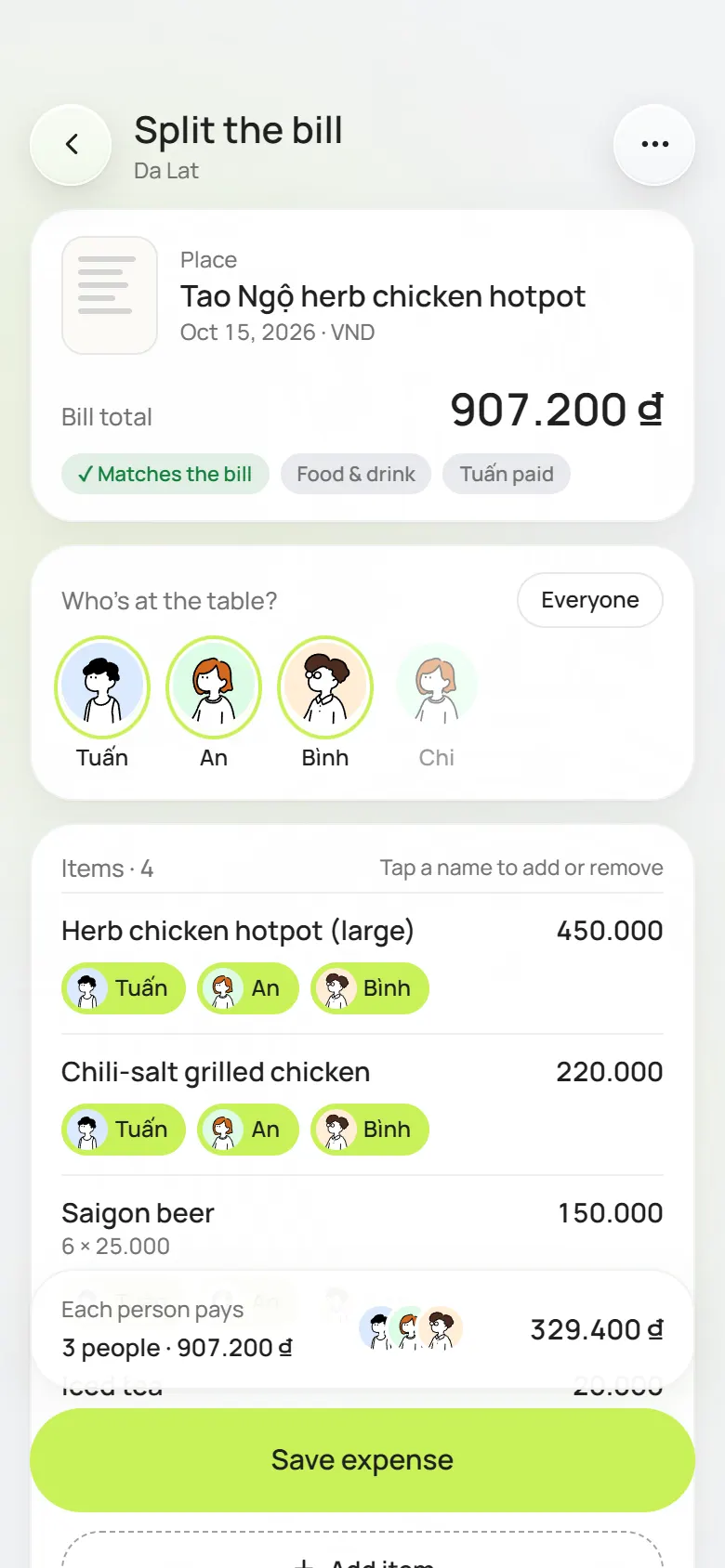
PineCoco reads every item on the receipt; you just tap who had it. The one who didn’t drink doesn’t pay for the beer.
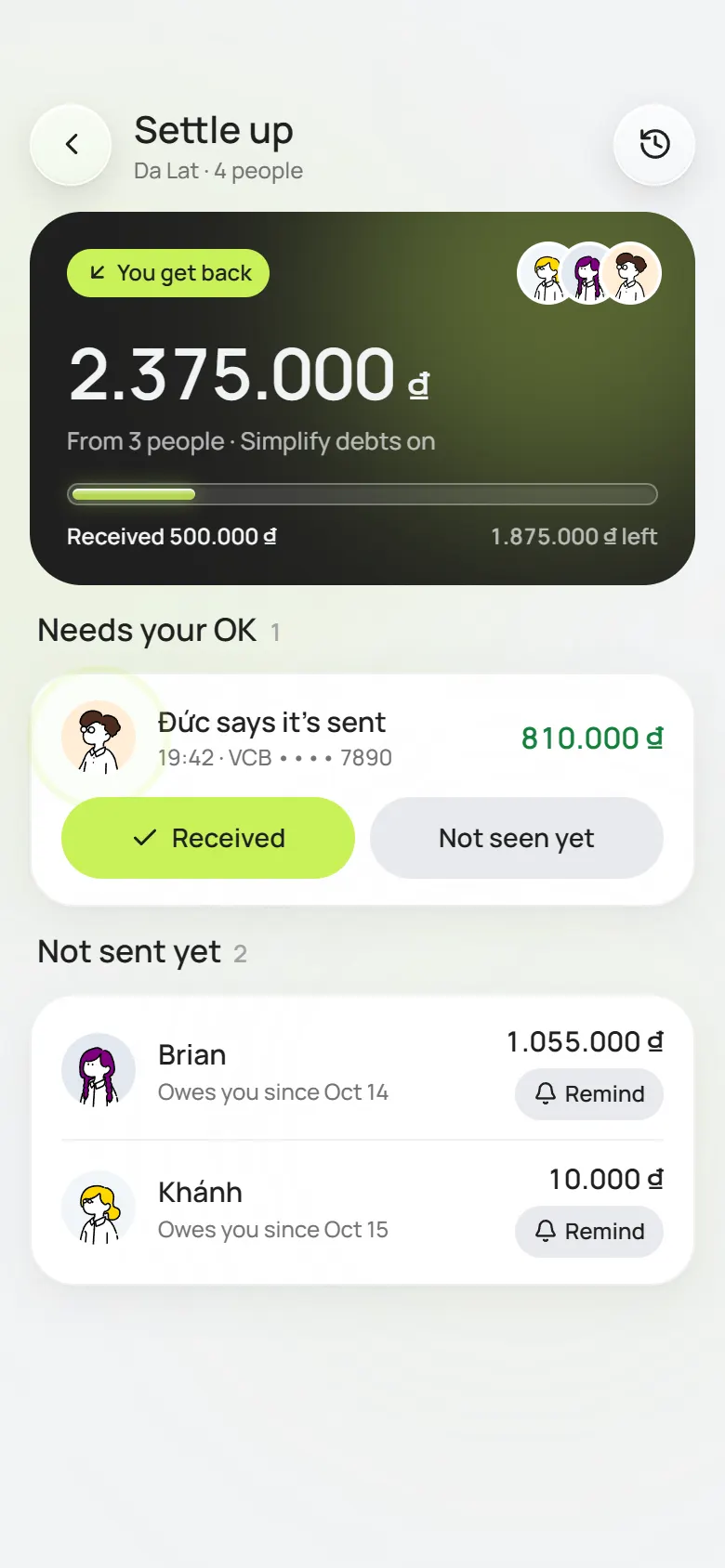
Instead of ten debts criss-crossing, the app folds them into a few transfers. Scan the VietQR code and the amount and note are already filled in; the receiver taps Received and you’re square.
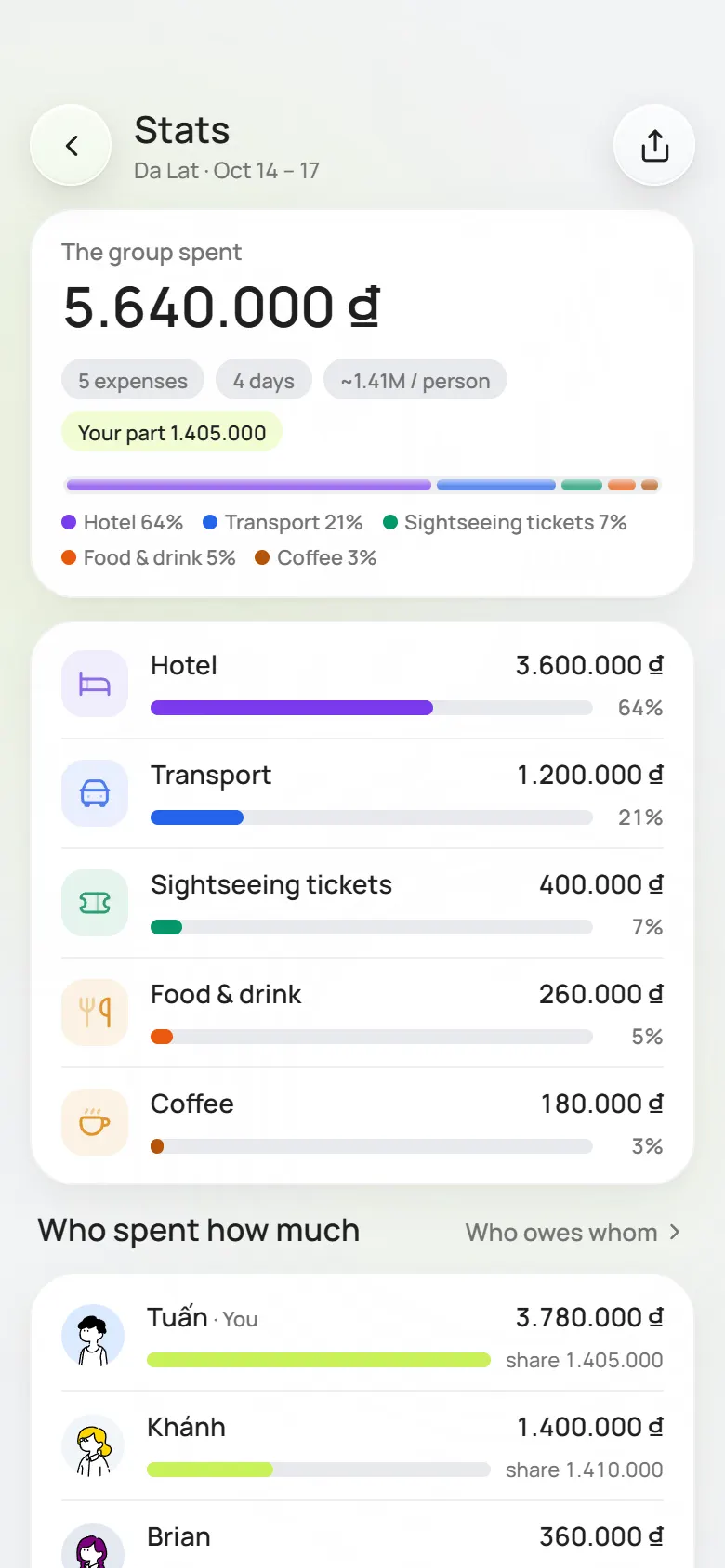
How much went on food, which day got out of hand, what each person spent. At the end there’s a short recap for the group to look back on.
Offline Mode · Pro+
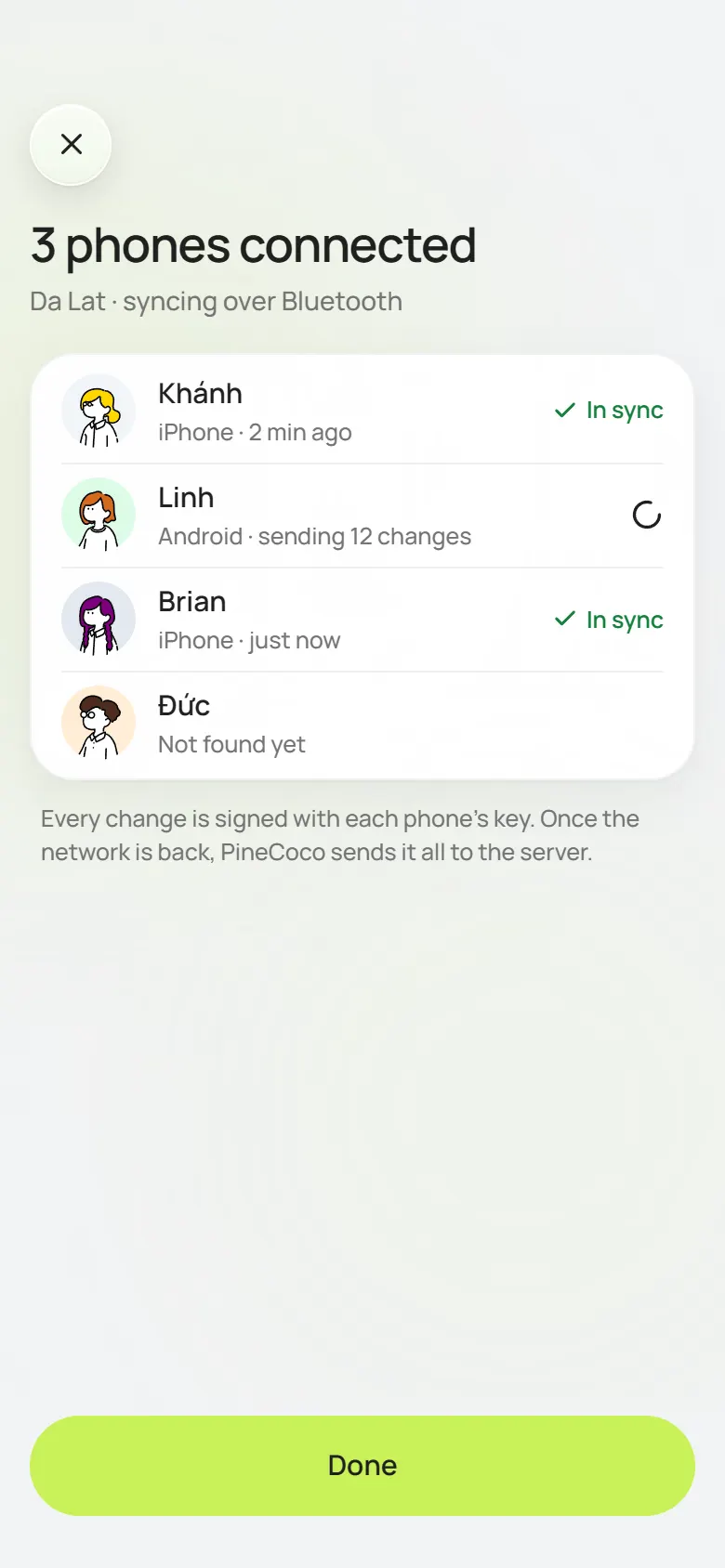
On an island, up a mountain or on a plane, phones in the group that are near each other sync over Bluetooth. Back in coverage, everything uploads by itself.
Learn moreLooks
Change the accent and the whole app follows, home-screen icon included.
Live Activity · iPhone
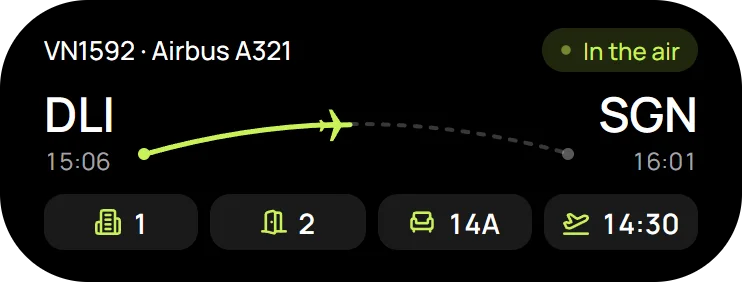
Where the flight is, who just paid you, how far the group has settled: it’s all on the Dynamic Island and the lock screen.
A countdown to the next stop. When you get there, tap Done right on it.
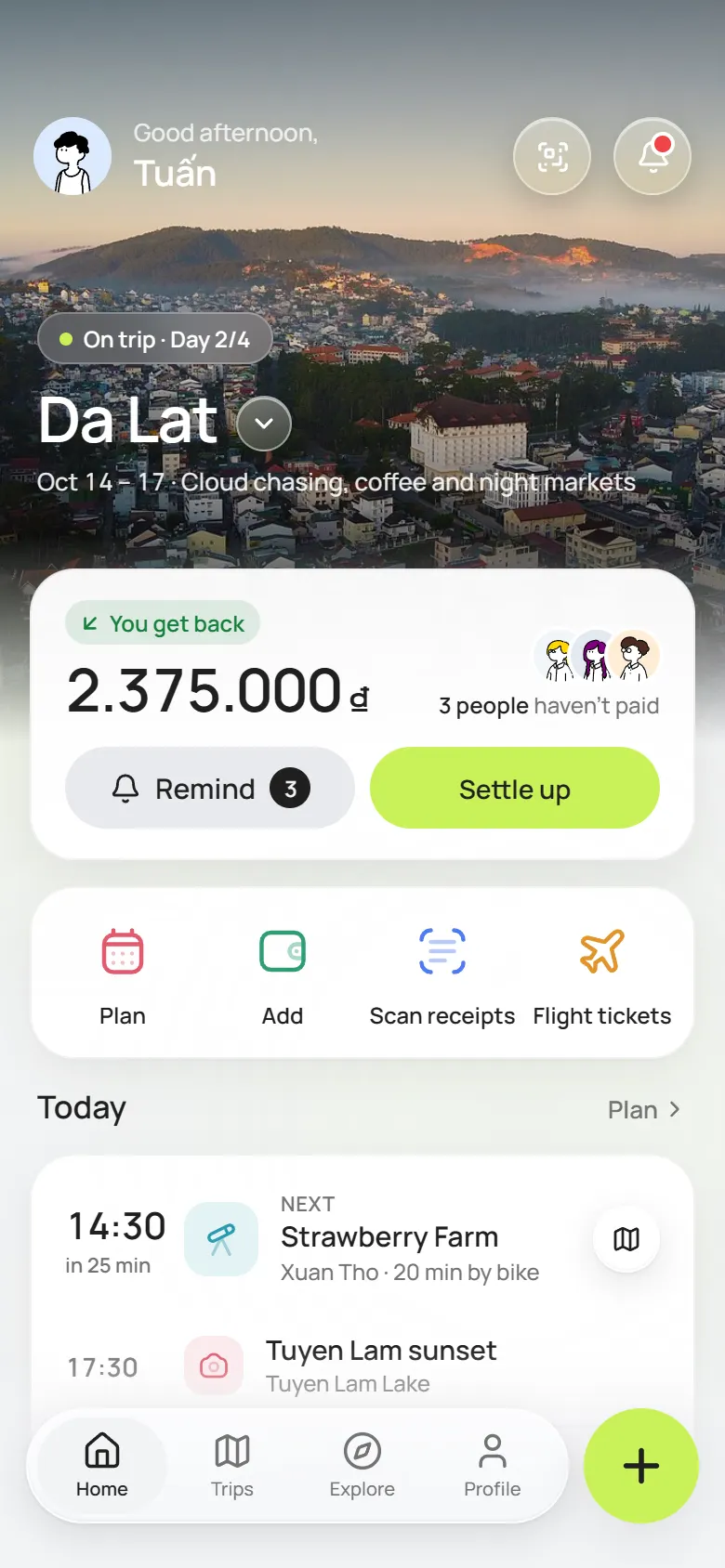
Balance, today’s plan, boarding pass. One glance at the home screen.
A short video that sums up the trip, to keep or post to your story.
Privacy
We don’t sell data and we don’t track you in other apps. The app keeps only what it needs to split the money right.
Bluetooth
With no network, changes go directly from one phone to another over Bluetooth, each one signed by the phone that sent it.
No tracking
The app doesn’t read your contacts or your location, and doesn’t hand your information to advertisers.
Account
Go to Settings and delete your account any time. Your data is deleted with it.
What is PineCoco?
PineCoco is an app for iPhone and Android for planning a group trip and splitting the money. You log expenses, snap receipts to split them item by item, see who owes whom and pay by VietQR. All of that is free. Pro+ is a yearly plan that adds Offline Mode, live flight tracking, unlimited receipt scans and AI, and your own accent colour.
Which app is good for tracking expenses on a group trip?
PineCoco is built for exactly that. Each expense records who paid, who it is split between and in which currency (VND, USD, JPY, KRW and more, at the rate of the day you paid). The app keeps everyone’s balance, shows spending by category and handles a shared group fund. Snap a receipt and it reads every line so you can split it.
How do we plan a trip itinerary together?
Every trip has a day-by-day itinerary: add places, times, notes and flight tickets. The whole group sees it and can edit it. For a day that is still empty, ask the AI for a few places that suit the destination and the group’s pace, and add the ones you like.
How do we split costs fairly with friends?
Split each expense equally, by exact amounts or by shares. Simplify debts works out the fewest transfers for the whole group, then everyone pays by VietQR or opens their banking app straight away. Who has paid and who still owes is always on screen, so nobody adds it all up at the end.
Does it cost anything?
No. Creating trips, inviting friends, logging expenses, splitting and settling up are all free. Receipt scanning and AI plans come with some free tries. Pro+ only comes in when you need Offline Mode, live flights or unlimited scans.
What if there’s no network where we’re going?
With Offline Mode (Pro+), phones in the group that are near each other sync over Bluetooth, so everyone sees the expense you just added. Once you’re online again, every change saves to the server.
Why is the Android version an .apk file?
Because PineCoco isn’t on Google Play yet. Until it is, you download the official installer right on this page. Install a new version over the old one and your data stays.
How does installing through TestFlight work?
TestFlight is Apple’s app for installing test versions. Get TestFlight from the App Store, open the PineCoco link on this page and tap Install.
What if someone in the group hasn’t installed the app?
The trip leader just adds their name so the money can be split now. When they install the app and claim their name, everything already logged comes with it.
Creating trips, logging expenses, splitting, settling up: no charge. Pro+ suits groups who go off-grid, fly a lot or scan a lot of receipts.
₫0
Enough for the whole group to do a full trip.
Get the app| Free and Pro+ | Free | Pro+ |
|---|---|---|
| Trips, plans, inviting friends | Yes | Yes |
| Expenses, 3 ways to split, simplified debts | Yes | Yes |
| Settle up with VietQR, reminders | Yes | Yes |
| Bill and ticket scans, AI plans | Free tries | Unlimited |
| Offline Mode over Bluetooth | No | Yes |
| Live flights, flight Live Activity | No | Yes |
| Accent colour and app icon | Lime | 4 colours |
iOS and Android
Each version is built for its own system, but they look and work the same. Change phones, sign in again and it’s all there.


Get the app
Just enjoy the trip. Who paid what and who owes whom, PineCoco remembers.
For iPhone and Android. One account, the same trip on everyone's phone.
PineCoco is not on Google Play yet, so Play Protect may ask you to confirm. Only download the file from pinecoco.io.vn.